

Set Up an Integration
Create your first custom hook in Proximate in under five minutes.
Claude Code Example
Wire Proximate into Claude Code CLI so an icon appears whenever Claude finishes a task.
Who This Is For
Advanced Integrations are designed for developers and anyone comfortable working in a terminal. If you can add a line to a config file or drop a command into a shell script, you have everything you need to get started.How It Works
Every Advanced Integration you create gets a set of hook commands built around theproximate:// URL scheme. When your tool runs one of those commands, Proximate picks it up and displays the icon you configured right next to your mouse pointer — the same way it surfaces notifications from native macOS and Windows apps.
Because the hook is just a URL, anything that can open a link can trigger it: shell scripts, Makefiles, CI runners, AI agent hooks, or a single line in a terminal.
The Four Hook Types
Each integration comes with four ready-to-use hook commands. You can use whichever ones make sense for your workflow — you don’t have to use all of them.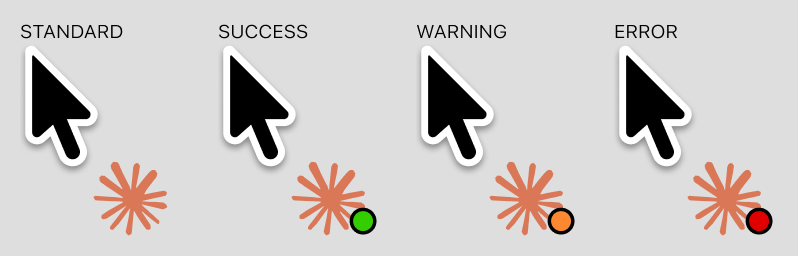
The Standard hook is the most flexible — use it when you just need a “done” signal. If you only care about failures, wire up just the Error hook and ignore the rest.